
A situation that every player runs into is that you come up with The Best Bass Line Ever, scramble to find some way to record so you can show it to your band-mates later (or refer back to it for yourself to record in your own home studio), and by the time you find something to record with, you’ve lost the idea.
It totally sucks when that happens, and it happens quite often.
The solution to this is to have a right-now way of recording that you can literally have ready-to-go in less than 30 seconds.
Sound impossible? It’s not if you go about it in a certain way.
Important note before continuing: The idea here is not to capture super-pristine-quality recordings, but rather just to get the idea put to a recording medium in the fastest, easiest way possible.
Method 1 (Band): A ready-to-go standalone recorder
Some bands have been doing this for years, but it amazes me how many don’t do this.
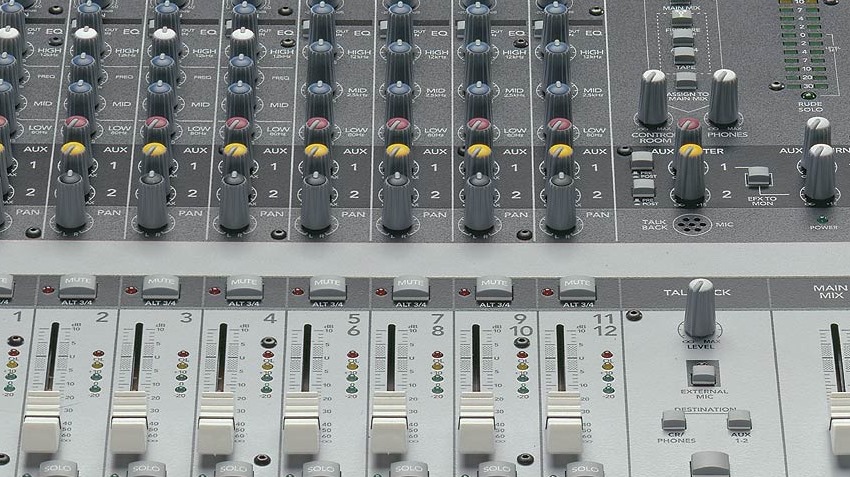
In your practice spot, your band probably uses a mixer. As you know, mixers have the ability to output to standalone recorders (obviously) to record with.
Connect some kind of standalone recorder to the mixer where any one of the band members at any time can just walk up to it, hit a button and record.
This standalone recorder does not have to be anything grandiose. It can be a cheap little 4-track digital recorder, maybe an old laptop or PC, or heck, it could even be a tape deck (why you would use one I have no idea, but it’s an option). Whatever you use, something has to be there where you can just record and go.
True, the recording will be awful and mixed improperly, but the point is that you’ve got the idea recorded.
Method 2 (Self): Cell phone
I don’t know of too many cell phones these days that don’t have a dictation feature. Since your phone is always on you or usually within arm’s reach, if you’re by yourself and plucking away when that idea happens, grab the phone, load the dictation app, shove it in front of the cabinet and record.
Yes, it will be a totally crappy recording, but again, you got the musical idea recorded and that’s what counts.
Method 3 (Self): Tiny multi-track recorder

The above is a BOSS BR-80. This is an itty-bitty multi-track recorder which not only has the ability to record but also provide simple accompaniment (i.e. a drum track).
Why this little thing? Because it has a real 1/4-inch input that you can plug your bass right into whereas your phone doesn’t (or not without some special connector). It also has tiny microphones on it if you wanted to record that way, such as for singing a vocal track along with your bass line.
The BR-80 is something you can grab and get recording with very quickly. While not as fast as doing it with the phone, it does have the extra features of multi-tracking and accompaniment, so it might be something worth considering.
What do you use to record scratch tracks with?
Standalone recorder? Cell phone? Tape deck (which would be weird)? Something I missed perhaps? Post a comment or two with the way you record your scratch tracks.


For on the road I use an iphone app called Bluefire to record what I do and then email it to myself. I have even used it to record my voice emulating a riff or line (for example, when driving) so I can record it later.
At home I have the Zoom R16 http://amzn.com/B0039LG330 always connected to the mixer and ready to go.
I find the Boss BR80 a bit expensive for what it does (the Zoom can be battery powered), so only useful if you have a proper multitrack recorder and the iphone app, but you happen to need to record with no space available (bus, train, etc.) and have some cash to spare.
boss rc-3(0)?
Well, the mic I use for gaming requires Phantom power, so I had to get a mixer and an ADC to get it into my computer, so I just fire up audacity and play direct into the mixer…
I use my boss rc 3 looper to capture ideas for parts of songs, especially because I can layer chords on top or a melody if I want, or vice versa. Though in retrospect I wish I had waited and saved up more to get the rc 30 because the functionality is a bit better
If no electronic recording facility is available, one other option is to write the idea down to paper using standard notation or tabs.
I use jamman digitech
I use my cellphone when I stumble upon something while playing / walking (just don`t tell anyone about me “singing”). At rehersal we record everything using a simple zoom h2 device – just in case.
I use a Tascam DP-004. Nice small 4 track, 1/4in inputs, built in mics, and option for either AC (with adapter) or battery power
I’ve heard about iphone apps, but does anyone know about any Android apps that can record directly through the 1/8″ jack on the phone?
The simple IPhone “Voice Memo” app that comes with the iPhone works great for humming or singing a line or riff and it automatically synchs it to iTunes to boot. Not great BUT it’s free and works just fine….
TASCAM DP-008
We use the Amplitube App and the iRig adaptor for practice / recording song ideas. Not the cheapest option but if you’re semi serious about playing / writing worth every penny.
I pod touch with amplitube & Irig.
Tascam GT-R1 has a 1/4″ input, 2 good mics, reasonable drum tracks, effects, looping etc etc. One of the very few pieces of kit I have that really does everything it says it will, and does it very well.
There are loads of apps for ipad, with mic or iRig if you want to connect directly. Some daws like meteor are very good also for multitracks and you don’t have to wait 3 days before you can start recording because some driver or other stopped working like on a PC.
Zoom for band recording, normally put it on reasonably low quality and just record the whole session…you never know what mistake can sound good!
Or you could, you know, be a COMPETENT musician and learn the language of your trade so you can WRITE IT DOWN ON A PIECE OF PAPER! Perish the thought. And if your other bandmates can read, you can hand it to them and everybody is playing within seconds. Imagine that. A group of people sight reading and making music versus a bunch of illiterate apes standing around wasting an hour learning the other illiterate ape’s music by rote. If you’re going to invest the time learning to play then don’t do it half-arse. Learn to read and write so you can communicate in an effective manner.
Yes that’s the best way to make a bass or guitar player play quieter and a drummer play slower!
You are quite ungrateful calling Apes 99% of the people, who’s songs you are probably learning (by reading of course) to cover….
Zoom H4 on a small tripod works really well and I can easily transfer it to my computer for later. Also use my iPhone.
For years I’ve been swapping between all of the above methods. My most used is the cell phone, with the simple voice recorder app and the rode le recording app. I like to listen back on ideas whilst I’m driving to rehearsals to see if anything is applicable to the musicians in performing with. The micro be I use the least, oddly, even though it can be just as quick to capture sound, and a an undeniably better quality, it’s not something that I carry around all that often and the batteries do get rinsed! It’s really awesome for recording rehearsals, gigs and jams though when you power it from mains and just leave it running. Fans love to hear that stuff back even if it’s not perfect, they get that intimate connection to the music I think.
Otherwise I’ve got garage band on my laptop and a USB interface if I’m on the go.
The most fun is still to sit in the studio and play about with tones etc but that’s time consuming.
Great article, I’m in love with this site.
I’ve been using a Tasam DR 05 to record band rehearsals with and it’s been great. I record as a WAV file so I start the recorder at the beginning of rehearsal and let it run till the end of it.
When someone comes up with a jam it’s on there and not forgotten (lots of new songs get written this way).
When I get home, I divide the songs up.